AI at work: Is ChatGPT safe for everyday business tasks?

In this article
If you're asking “is chatgpt safe” before pasting a customer email, the useful answer is: safe enough for some tasks, under specific conditions. Public information and fictional drafts are reasonable starting points; confidential records need an approved environment, and every consequential answer needs checking. The same rule applies to similar AI chat tools: judge the information going in, the permissions attached, and what you'll do with the output.
When is chatgpt safe at work?
A chat box makes very different tasks look alike. Asking for subject lines for a published webinar and uploading an employee's performance review both take seconds. Their consequences aren't comparable.
For routine drafting, AI chat can be a reasonable choice when your employer permits the tool, the input isn't sensitive, and you review the result. It shouldn't become an informal route around your company's data rules. Paying for a subscription doesn't supply authorization.
An AI assistant also adds distinct failure points. Your information might be retained or accessed under terms you haven't checked. A malicious document might redirect the assistant. A fluent reply might contain a false claim. Someone who steals your account might gain access to stored conversations.
NIST's Generative Artificial Intelligence Profile (2024) treats data privacy, information security, and confidently stated false content as separate risks. That distinction matters: improving one control doesn't resolve the others.
Chat.me's AI chat assistant drafts messages in your voice from writing samples you choose to share and summarizes conversations into decisions and action items. We show which messages a summary was built from because readers need a way to check it. Chat.me doesn't use customer conversations to train models by default, but that commitment doesn't replace your employer's approval or your responsibility to review a draft.
A useful starting question is, “Would I be allowed to send this material to an outside service for this purpose?” If you can't answer, pause before uploading it.
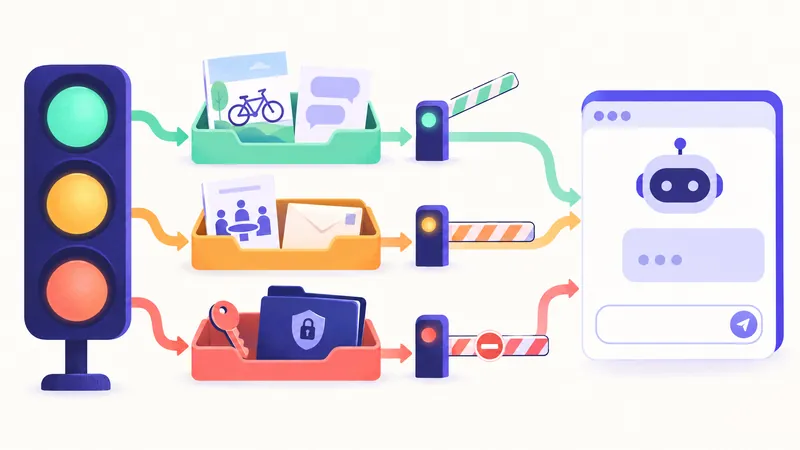
A traffic-light policy for what you can paste
Employees often get a vague instruction: “Don't share sensitive information.” That leaves them guessing about a meeting transcript or a customer complaint. A traffic-light policy makes the decision visible at the moment someone copies text.
Here's a conservative starting policy, not a certification that any particular chatbot is secure. Your organization can narrow it for contractual or regulatory reasons.
| Level | What belongs here | Practical rule |
|---|---|---|
| Green | Published product descriptions, public event details, fictional emails, generic tone requests | Use an employer-permitted tool and review the answer. |
| Amber | Internal drafts, nonpublic plans, customer correspondence, meeting transcripts, identifiable writing samples | Use only an approved workspace for that data category; remove unnecessary details first. |
| Red | Passwords, API keys, private keys, payment card data, sensitive patient or employee records, confidential deal documents | Keep out of general AI chat. Use a separately authorized workflow if the task requires protected records. |
Green means the input is low sensitivity. It doesn't mean the answer is correct, or that instructions inside a public page are trustworthy. Amber means a specific approval is needed, not that deleting names automatically makes a file acceptable.
Say a bicycle shop in Madison receives 25 repair-status emails a day. A fictional request to make a pickup message friendlier is green. An actual thread containing a customer's phone number and unpublished repair dispute is amber. A screenshot exposing the shop's payment credentials is red.
Classification follows the whole attachment. A harmless email paragraph doesn't make its quoted history, signature, or attached invoice green. The most sensitive part determines the handling rule.
Give employees one named person or channel for amber questions. Otherwise, a policy can turn into a daily guessing exercise, and a rushed employee may interpret silence as permission.
Share the smallest useful prompt, not the whole thread
A long email chain can contain far more information than the task needs. You might want a polite scheduling reply, but the copied history includes an invoice, a customer's address, and an unrelated dispute. That extra context creates exposure without helping the sentence you're drafting.
Start with the task, then add only the facts required to complete it. For example: “Draft a warm reply offering a new pickup time. The appointment was delayed. Don't invent a reason or promise a discount.” You don't need the customer's identity to generate that draft.
For an approved amber task, replace identifiers locally before uploading. Use consistent placeholders such as [CUSTOMER] and [ORDER], then restore the real details after reviewing the output. Check signatures, quoted history, screenshots, and file comments too. They're easy to miss.
But removing a name isn't full anonymization. A job title, unusual complaint, and precise appointment date may still identify someone. A confidential pricing plan remains confidential without its author's name. If identifying or protected details are necessary, use the authorized workflow rather than calling the text anonymous.
Training use is a separate question from storage and access. The FTC's privacy and confidentiality guidance (2024) explains that AI service providers must honor their commitments, including promises about using customer data to train models. It doesn't say every provider makes the same promise.
Before using amber material, establish how long inputs remain, who can access them, and whether connected services receive them. For Chat.me, the privacy and AI data handling page is the appropriate starting point. A training setting alone isn't evidence about every part of that process.
A document can give the assistant malicious instructions
Suppose you ask an assistant to summarize a supplier's PDF. Inside it, an attacker has inserted instructions to ignore your request, seek unrelated records, or send information elsewhere. The assistant may mistake those words for directions rather than material to summarize.
That's indirect prompt injection: a redirection attempt arriving through content the assistant reads. It can come from a web page, an email, or a retrieved document. You don't have to type the malicious instruction yourself.
Greshake et al. (2023) demonstrated this mechanism in experimental and real-world AI-integrated applications, including attacks aimed at information theft and manipulated output. The paper establishes that the attack path exists; it doesn't provide a current failure rate for your workplace tool.
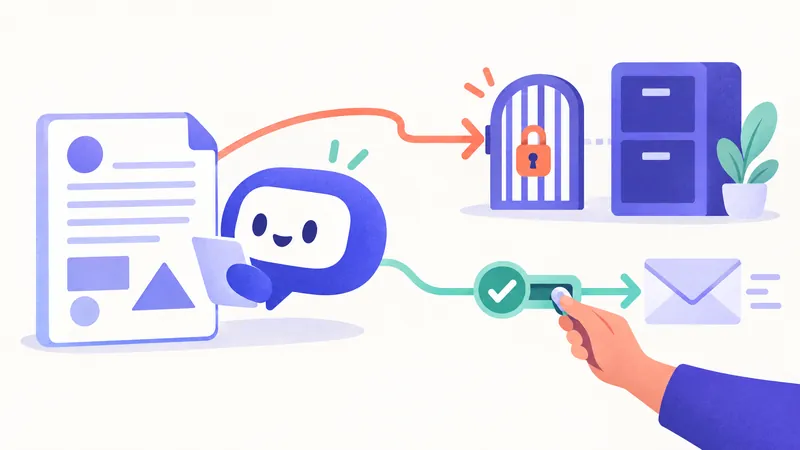
The practical defense is to limit what a compromised assistant could do. Reading one approved folder shouldn't imply permission to search every shared drive. Drafting a reply shouldn't imply permission to send it. Broader access gives an injected instruction more opportunities to cause harm.
When your environment allows it, use read-only access and narrow connector permissions. Require human confirmation before external sends, record changes, downloads, or other consequential actions. Check the recipient and attachment during that confirmation, rather than approving a vague “continue” request.
You can also instruct the assistant to treat source documents as data, but don't treat that wording as a security boundary. A suspicious request to disclose secrets or visit an unrelated site is a reason to stop the task and report it.
Public content can be green for confidentiality and still hostile as an instruction source. Keep those judgments separate.
Check the answer where an error would hurt
A summary can sound excellent and still change the business meaning. “The customer requested a refund” might become “The refund was approved.” A cautious proposal might become a firm delivery promise. Those aren't cosmetic mistakes.
NIST (2024) calls confidently presented erroneous content confabulation, often called hallucination. Its profile explains that generated citations and reasoning can also be false. So a polished explanation isn't proof that the underlying statement is supported.
Match review effort to the consequence. An internal brainstorming draft may need a quick relevance check. An email committing to a deadline needs comparison with the actual agreement. Legal, medical, financial, and employment decisions need the responsible qualified reviewer, not an unsupported chatbot verdict.
For a conversation summary, check each decision against a source message. Preserve the distinction between suggested, agreed, assigned, and completed. An action item should have an owner only if the conversation actually names one; “owner not specified” is better than a plausible guess.
Ask for supporting excerpts or message references to make comparison easier. Then open the originals. Source visibility helps you review an answer, but a link beside a sentence doesn't guarantee the sentence follows from it.
Amounts deserve a separate check. Recalculate totals with a calculator or spreadsheet, using the source values. For research claims, open the cited document and confirm the publication date and relevant passage. Don't publish a statistic because the assistant supplied a convincing reference.
Asking “Are you sure?” may produce another confident answer with the same error. Independent verification means checking against records or another reliable method. Our guide to AI hallucinations explains why fluency and accuracy can part company.
Protect the account and its connected access
An approved AI workspace still depends on account security. A stolen login could expose retained conversations or enable activity through connected tools, depending on the permissions granted. A cautious prompting policy won't stop someone who has your session.
CISA's MFA guidance (2022) urges organizations to implement phishing-resistant multifactor authentication. MFA means requiring another authentication factor beyond a password. For push-based systems that can't yet support phishing-resistant MFA, CISA recommends number matching as a weaker interim measure.
Use the company's managed sign-in where available, and ask IT which phishing-resistant method your environment supports. If a password is required, use a unique one stored in a password manager. Reusing your email password makes one compromised service a route into another.
The recovery account deserves the same protection. An attacker who can reset your login may bypass the care you've taken with the main account. Don't approve an unexpected authentication request (even if you're busy).
Shared logins also blur responsibility. Named accounts make access removal and incident investigation easier. During offboarding, IT should revoke relevant sessions and connected access, not just remove an employee from a team list.
Review extensions and connected apps before granting access. Prefer only the permissions the task requires; an unknown browser extension can introduce a data path outside your approved AI service.
Make approval specific enough to use
“AI is approved” isn't an operational policy. An employee may interpret it as approval for any account, attachment, or automation. The policy needs to identify the workspace, permitted data categories, and actions the assistant may take.
For each approved use, record the business owner and reviewer. State the handling requirements for inputs and outputs, including retention and sharing. A generated summary of a confidential meeting should inherit the meeting's classification; paraphrasing doesn't make its contents public.
A useful policy sentence is: “Customer correspondence may be summarized in the approved workspace after unnecessary identifiers are removed; the account owner checks commitments against the original thread before sharing the summary.” It names the input, control, and review step without requiring employees to interpret a long security manual.
Teams also need examples of accepted prompts and blocked inputs. If you're assessing Chat.me for teams, review it against that same written policy, including how employees will verify source messages. Familiarity with a tool shouldn't replace the approval process.
Revisit approval when the use changes. Connecting email, enabling automatic sends, or adding a new data category changes the exposure, even if the chat interface looks identical.
An accidental paste needs action, not another prompt
If you paste restricted information, asking the chatbot to forget it isn't a reliable deletion process. Stop adding material and report the event through your company's security or privacy channel. Early reporting gives the responsible team more options.
Record the service, account, time, and type of data shared without copying the sensitive content into more places. Use available deletion controls, but don't assume removing a visible chat erases every retained copy immediately. The administrator can follow the service's documented incident and deletion process.
If credentials were exposed, the appropriate owner should revoke or rotate them promptly. Deleting the chat doesn't invalidate a working key. If other protected records were shared, let the responsible team assess contractual, privacy, and notification obligations.
For your next prompt, the decision is concrete: green in a permitted tool, amber only with specific approval, red outside general chat. If the task is just to improve wording, a fictional draft is often enough. Start there, before the real customer thread leaves your inbox.
Frequently asked questions
Can I paste confidential work information into ChatGPT?
Only if your employer has approved the specific service, account type, data category, and task. A personal paid subscription isn't permission to upload confidential files. Check retention, training use, access controls, and any connected apps. If approval is missing, use public information or a fictional example instead. Credentials and private keys should stay out of general AI chat.
Does disabling AI training make my chats private?
Disabling training addresses one possible use of your information. It doesn't establish that the service never stores chats, permits no human access, or sends no data to connected tools. Those questions depend on the service and your agreement. Review each separately, and don't assume deleting a visible conversation removes every retained copy immediately.
What is prompt injection in an AI chatbot?
Prompt injection occurs when text tries to redirect an AI assistant away from the user's intended task. An indirect injection arrives through material the assistant reads, such as a web page or uploaded document. Treat that material as untrusted input. Restrict connected-tool permissions and require human approval before the assistant sends messages, changes records, or shares information.
Can I trust AI-generated answers for work?
You can use them as drafts, but the review should match the consequences of an error. Check names, dates, amounts, commitments, and cited sources against original records. For legal, medical, financial, or employment decisions, involve the responsible qualified reviewer. Asking the same chatbot to confirm its answer isn't independent verification, because it can repeat the same mistake.
Sources
- Artificial Intelligence Risk Management Framework: Generative Artificial Intelligence Profile, National Institute of Standards and Technology (2024)
- AI Companies: Uphold Your Privacy and Confidentiality Commitments, Federal Trade Commission (2024)
- Not what you've signed up for: Compromising Real-World LLM-Integrated Applications with Indirect Prompt Injection, arXiv (2023)
- CISA Releases Guidance on Phishing-Resistant and Numbers Matching Multifactor Authentication, Cybersecurity and Infrastructure Security Agency (2022)
Keep reading

How to get AI meeting notes people actually use
Turn meeting transcripts into a trusted working record, with clear recording consent, checked commitments, and follow-ups that reach the right people.
Using AI customer service without hurting customer experience
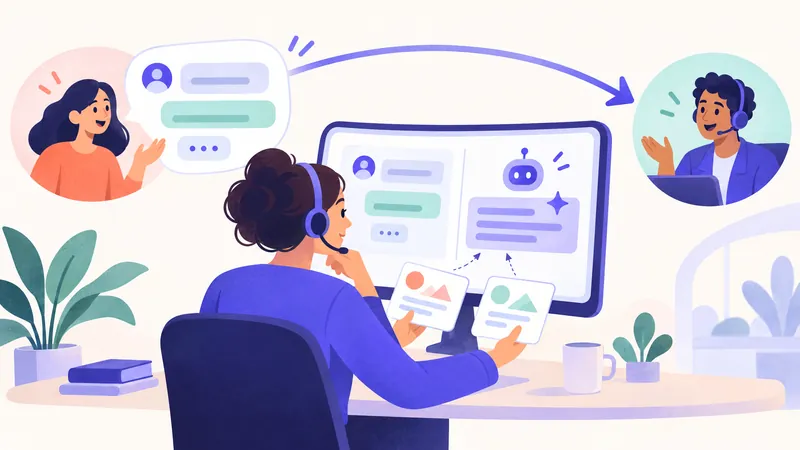
A practical guide to AI-assisted support: route requests by risk, review draft replies, preserve human handoffs, and measure whether customers need to come back.

What is a large language model? A marketer's guide
Understand tokens, training, transformers, fine-tuning, and human feedback, then use that knowledge to write clearer prompts and review AI copy with evidence.